Trainings — generating a workout
The Trainings tab is where you generate a workout for today.
How you're feeling
Before generating, pick how you feel on a 5-level scale (exhausted → tired → normal → fresh → very fresh). This isn't just decoration — two of the three generation modes below use it directly.
Three workouts, three strategies
Tap Generate workouts (local, no AI needed) or, if you've enabled AI in Settings, let it try OpenAI first. Either way you get exactly three suggestions, each computed a different way:
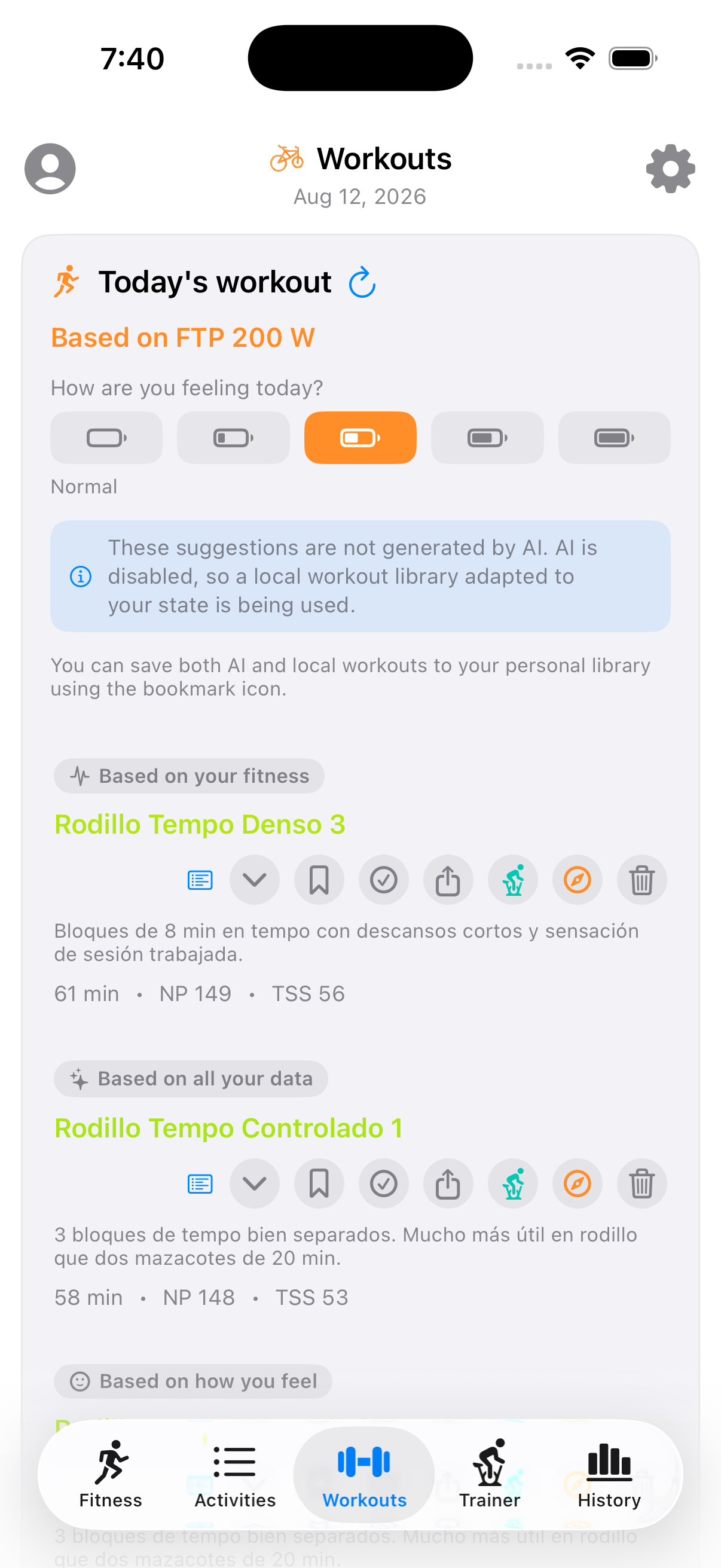
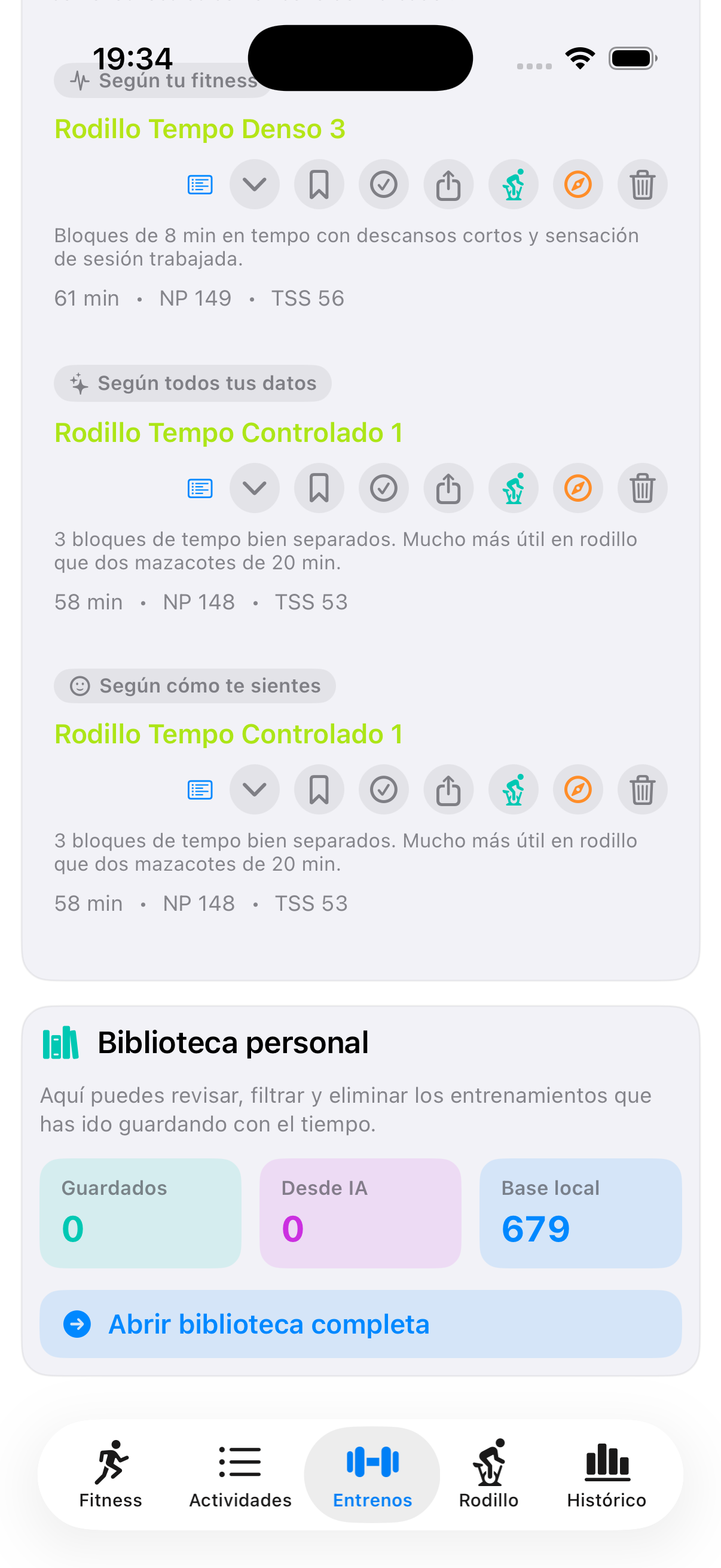
- Based on your fitness — your training load (CTL/ATL/form) and FTP only. Google Fit recovery data and how you say you feel are deliberately excluded, so this one reflects pure training history.
- Based on all your data — the same training load, blended with Google Health readiness (if connected) and your energy check-in. A low-energy day pulls this suggestion toward something easier even if your training numbers alone would suggest going harder.
- Based on how you feel — ignores training load and Google Fit entirely; picks intensity purely from the 5-level check-in.
Each suggestion shows duration, normalized power, and TSS, and can be expanded for the full interval breakdown.
Acting on a suggestion
Per workout, the icon row lets you: save it to your personal library, mark it complete, share/export it, send it to MyWhoosh, open it in a browser-based builder, launch it directly on the indoor trainer, or delete it.
Personal library
Below the generator, a summary of your saved workouts (how many, how many came from AI vs. the local engine) with a link into the full library.