Fitness tab — overview
The Fitness tab is the home screen. It has two sub-tabs at the top: Fitness and Recovery.
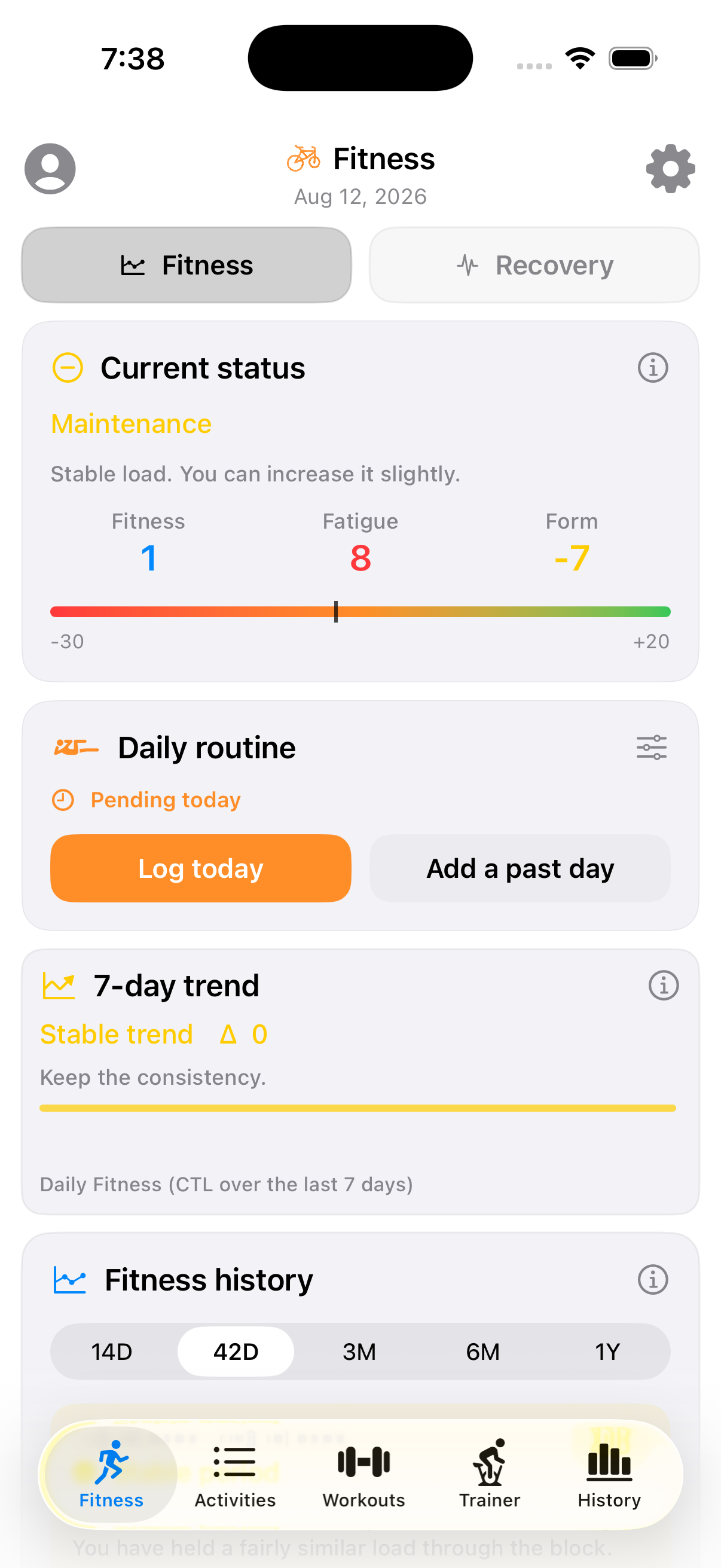
Current status
The top card shows three numbers, standard training-load metrics:
- Fitness (CTL — Chronic Training Load): your fitness built up over the last ~42 days.
- Fatigue (ATL — Acute Training Load): fatigue from the last ~7 days.
- Form (TSB — Training Stress Balance): Fitness minus Fatigue. Positive means fresh, negative means tired.
The colored bar under the numbers positions your current Form on a scale from -30 (very fatigued) to +20 (very fresh), and the card's headline (Maintenance, in the screenshot) gives you a one-word read plus a short recommendation.
Daily routine
A shortcut into your bodyweight/strength routine for the day — see Daily routine for the full picture.
7-day trend
A short-range read on whether your daily Fitness number is trending up, down, or flat over the last week, with a one-line takeaway.
Fitness history
A chart of Fitness/Fatigue/Form over a selectable window (14 days, 42 days, 3 months, 6 months, 1 year):
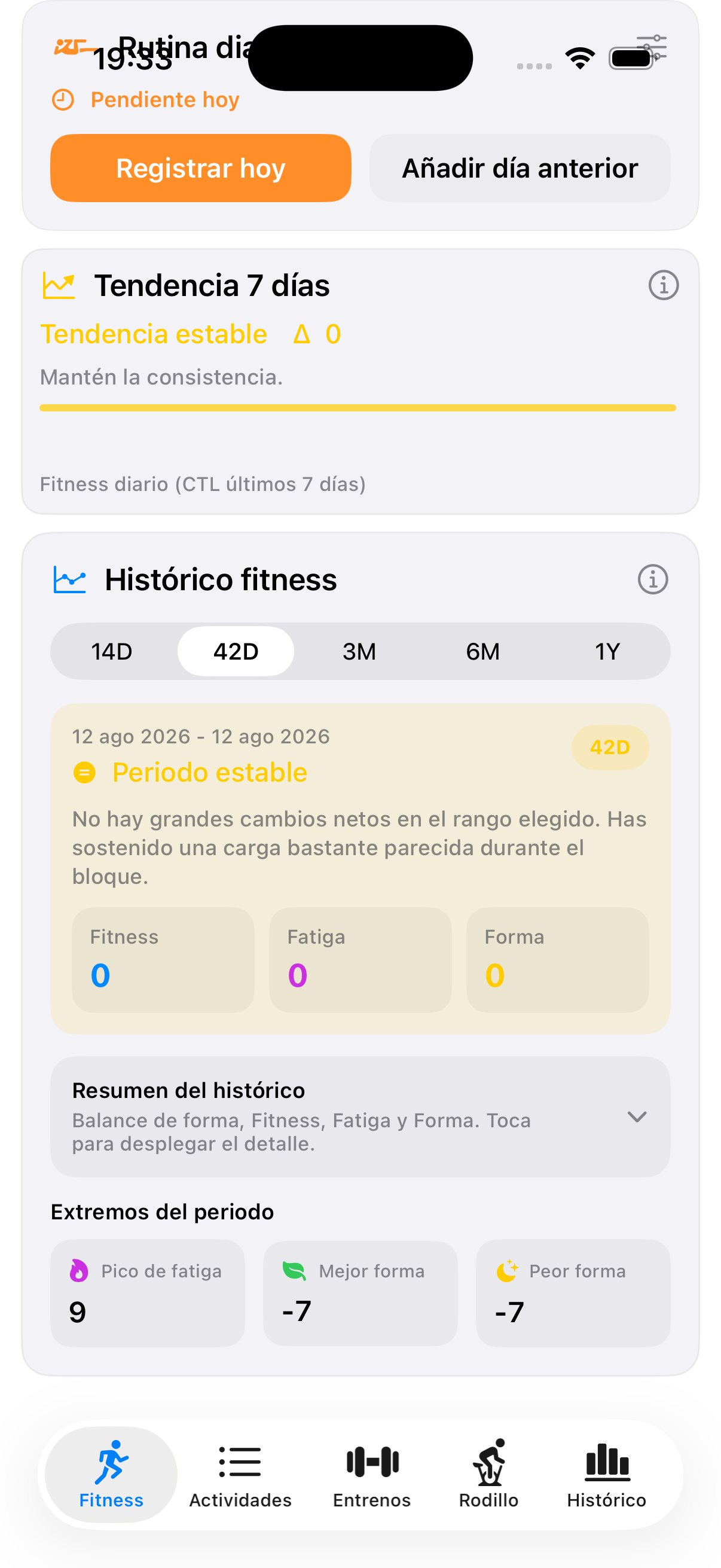
Note
Screenshot shown in Spanish (14D / 42D / ...); the English screen uses the same layout with translated labels.
Below the chart, "Extremos del período" (period extremes) surfaces the peak fatigue and the best/worst form values inside the selected window — useful for spotting when a block actually got hard.
Recovery sub-tab
If you haven't connected Google Health, this tab just prompts you to connect it — recovery data (sleep, resting heart rate, HRV) comes from there, not from Intervals.icu or Strava. Once connected, this is where sleep and HRV-based readiness feed into how workouts get generated (see Today's workout).