Connecting devices
The Indoor (Trainer) tab starts with a connection status card for four device slots.
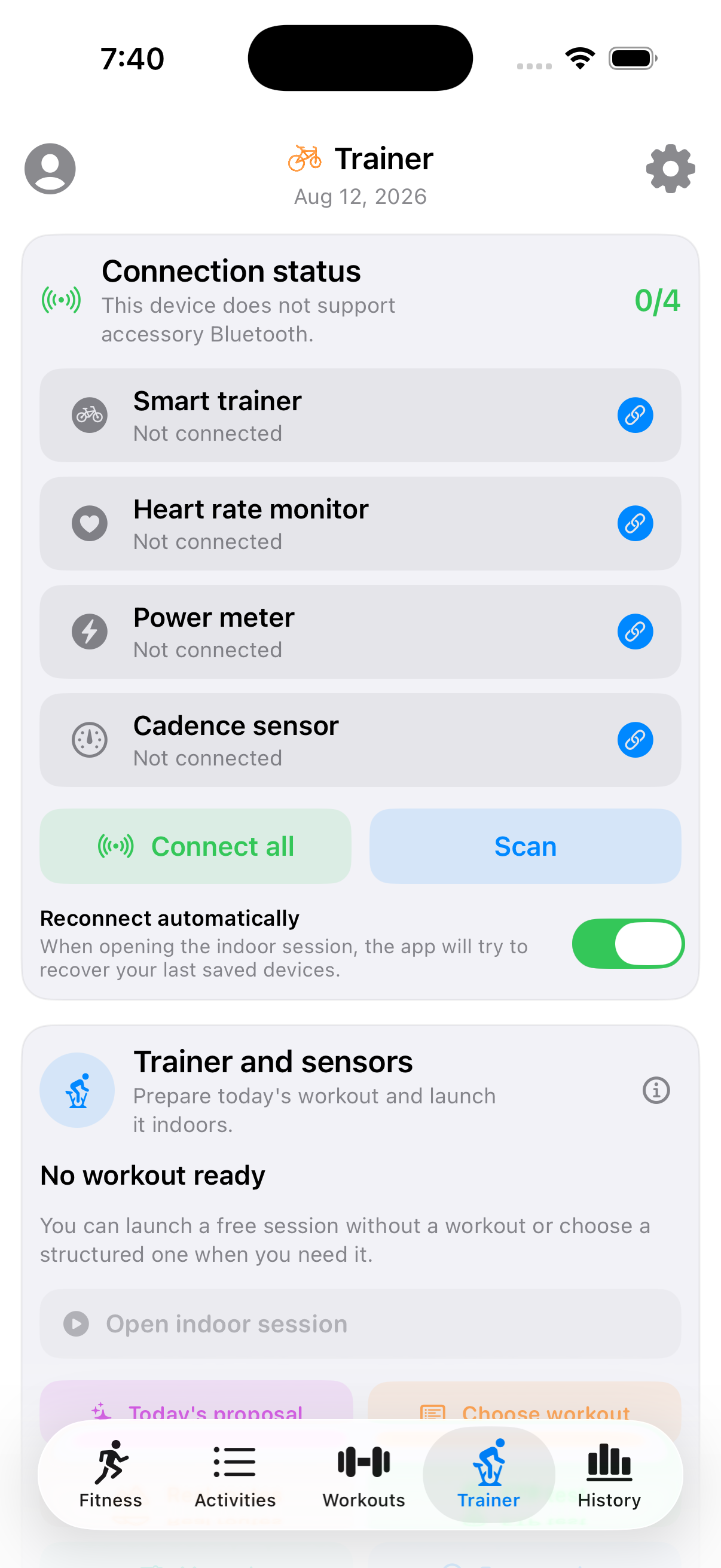
Device slots
- Smart trainer — the primary device; controls resistance/power in ERG mode.
- Heart rate monitor
- Power meter — separate from the trainer if you use one (e.g. pedal-based power on a dumb trainer).
- Cadence sensor
Status, not guesswork
Each slot shows one of five states, so you always know what's actually happening instead of a plain connected/not-connected toggle:
- Not connected (gray) — tap to search and connect.
- Searching… (blue, spinner) — scanning for a matching Bluetooth device.
- Connecting to "Name"… (blue, spinner) — found the device, pairing now.
- Connected — shows the real device name, in green.
- Failed: reason (red) — the connection attempt failed, with the actual error instead of silently reverting to "not connected." Tap to retry.
Connect all tries to reconnect your previously-used devices automatically; Scan does a fresh Bluetooth scan for anything nearby. Reconnect automatically (on by default) does the same "Connect all" step every time you open an indoor session, so you don't have to manually reconnect each time.